

Workspaces and dispatch
Chat and extensions
Using the general Coding Agent Chat workspace, Multi-Agent Orchestration presets & role roster, Control & audit logs, and distinguishing Agent Extensions, Built-in Capabilities, and Platform Extensions.
On this page
- 1. Workspace visibility (Web vs. Desktop)
- 2. General Chat workspace (/chat)
- 3. Multi-agent orchestration and Control (/settings/orchestration & /settings/control)
- Presets, roles, and SRC override
- Control & audit (/settings/control)
- 4. Three extension layers explained
- Agent extensions (/settings/agent-extensions)
- Built-in capabilities (/settings/capabilities)
- Platform extensions (/settings/extensions)
Alongside security workbenches, Muteki serves as a unified control plane for general software engineering across CLI coding agents. This guide covers the Chat workspace, Multi-Agent Orchestration and Control, and Muteki's three extension layers.
1. Workspace visibility (Web vs. Desktop)#
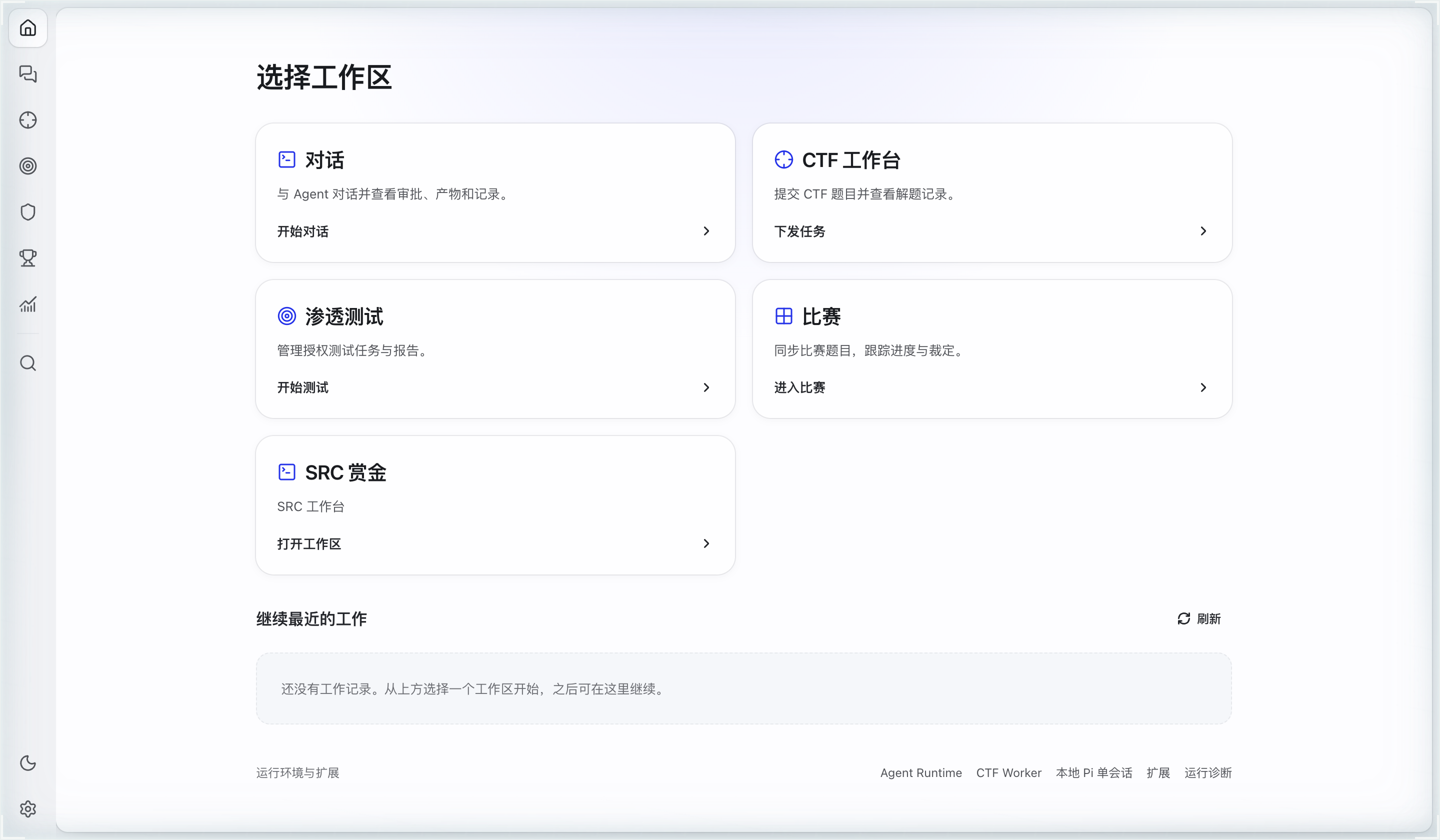
- Desktop mode: The native left navigation rail displays every workspace (Chat, CTF, Pentest, SRC bounty, Competitions) out of the box.
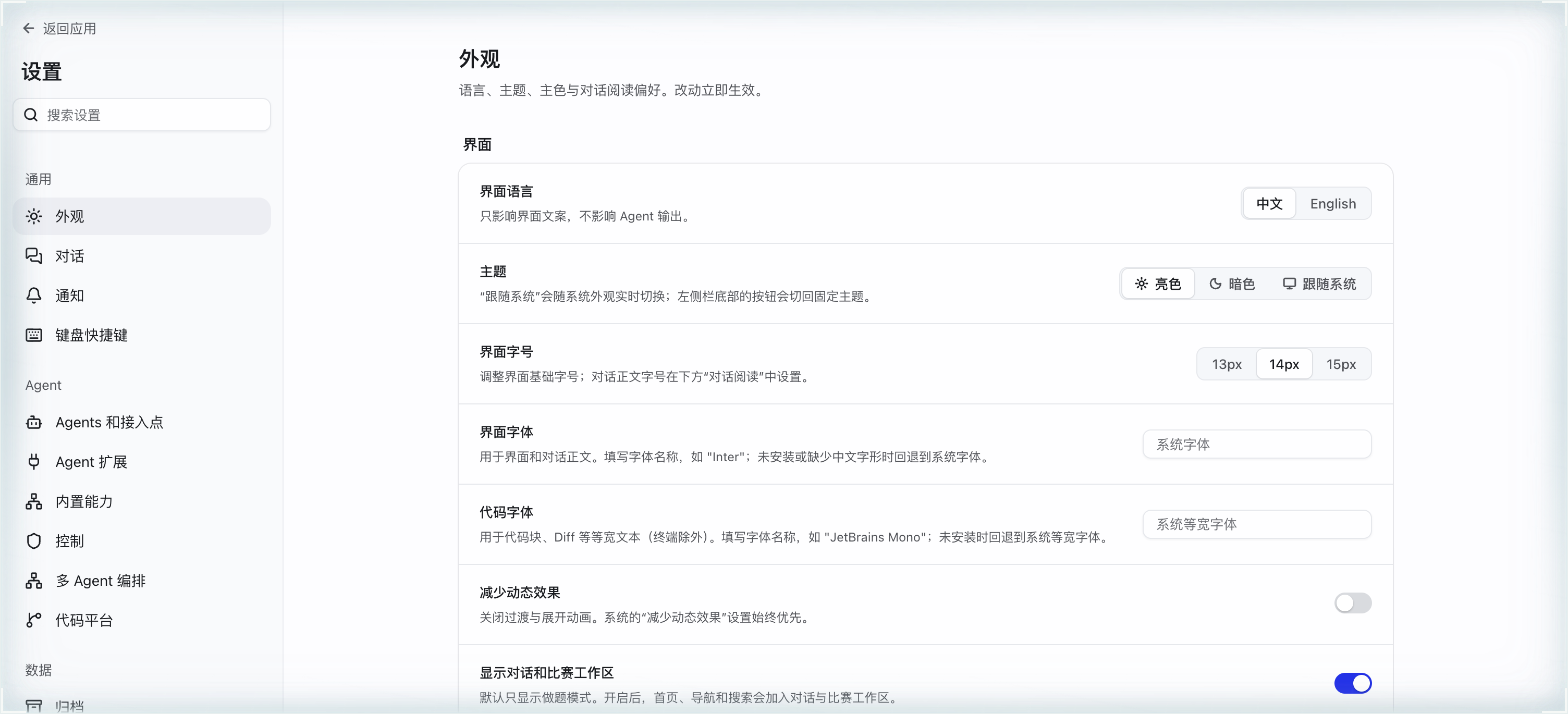
- Web mode: Defaults to security-solve mode. To enable Chat, Competitions, and the full home overview, open Settings → Appearance → Interface (
/settings/appearance) and turn on Show chat and competition workspaces.
Once enabled, the home overview (/) shows all workspace cards with live running/approval counts and recent tasks:
2. General Chat workspace (/chat)#
- Project directories & worktrees: Bind a local repository folder or run general Q&A without touching local files.
- Models, reasoning effort & permissions: Pick engine, model, effort, and default access mode (
Supervised/Auto accept edits/Full access) per conversation. - Full execution observability: Inspect thinking blocks, tool timelines, approval cards, interactive terminal, Diff viewer (
Unified/Split, wrap, collapse unchanged), artifact exports, context window usage, and/usage. - Live steering, queuing & rewind: Queue or steer messages mid-turn, edit/rewind earlier turns, set scheduled prompts, and share read-only snapshots (
/share/<id>). - Built-in previews: Desktop mode uses a native browser pane (which managed child threads can borrow cleanly along parent relationships when visible); Web mode provides an isolating iframe proxy for local dev servers.
3. Multi-agent orchestration and Control (/settings/orchestration & /settings/control)#
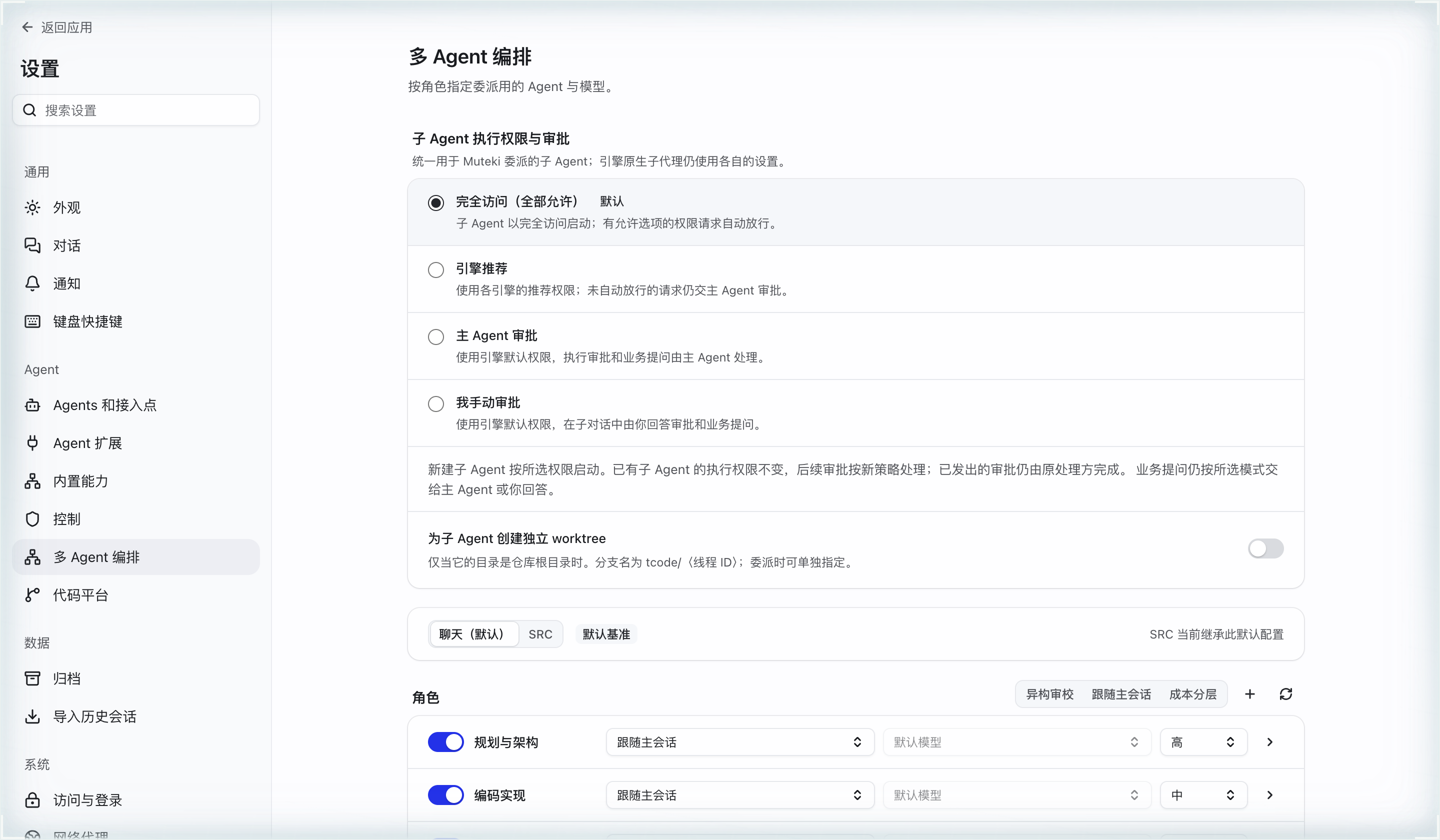
Configure multi-model team roles for main conversations under Settings → Orchestration:
Presets, roles, and SRC override#
- Conversation vs. SRC modes: Manage the default roster for Chat, and optionally switch to the SRC tab to enable an independent override roster specifically for vulnerability research.
- Three built-in presets:
- Cross-review (
cross-review): Pairs two distinct engines soplanner/reviewerandimplementer/verifiercross-check each other. - Inherit (
inherit): All roles follow the active conversation's engine and model, applying role-specific reasoning effort. - Cost-split (
cost-split): Reads verified model pricing to route top-tier models toplanner/reviewer, mid-tier toimplementer/verifier, and low-cost fast models toresearcher.
- Cross-review (
- Core roles & custom roles: Configure
planner,implementer,reviewer,researcher, andverifier, or add custom role IDs with dedicated descriptions and guidelines. - Prompt injection preview: View the exact roster block injected into main sessions; main threads invoke managed child threads via
muteki_collab_discoverandmuteki_collab_calland surface live sub-thread status inside the collaboration panel.
Control & audit (/settings/control)#
- Master gateway switch: Toggle
Allow threads to use muteki-collabto enable or pause cross-thread delegation and messaging tools globally. - Sub-agent access & approvals: Control default execution access for newly spawned delegated child threads (defaults to Full access unless tightened to Engine recommended, Main agent approves, or I approve manually) and automatic isolated Git worktrees (
tcode/<thread-id>). Existing threads keep their creation-time access policy. - Audit ledger: Searchable log of delegation events (
muteki_start_thread), cross-thread messages, cancellations, Git/PR operations, terminal control, and recorded thread reviews.
4. Three extension layers explained#
Muteki separates extension management into three clear layers:
| Page | Route | What it manages | Scope |
|---|---|---|---|
| Agent extensions | /settings/agent-extensions | Skills, plugin packages, external MCP servers, read-only host discovery | Injected directly into Agents/Workers across Chat / CTF / Pentest |
| Built-in capabilities | /settings/capabilities | muteki-browser, muteki-computer, muteki-platform, Worker built-in Skills | Built-in Muteki platform tools, progressive disclosure bridge, slash $ Skills |
| Platform extensions | /settings/extensions | Agent Plugins 1.0.0 platform modules and declarative UI | Extends Muteki itself (such as custom competition platform adapters) |
Agent extensions (/settings/agent-extensions)#
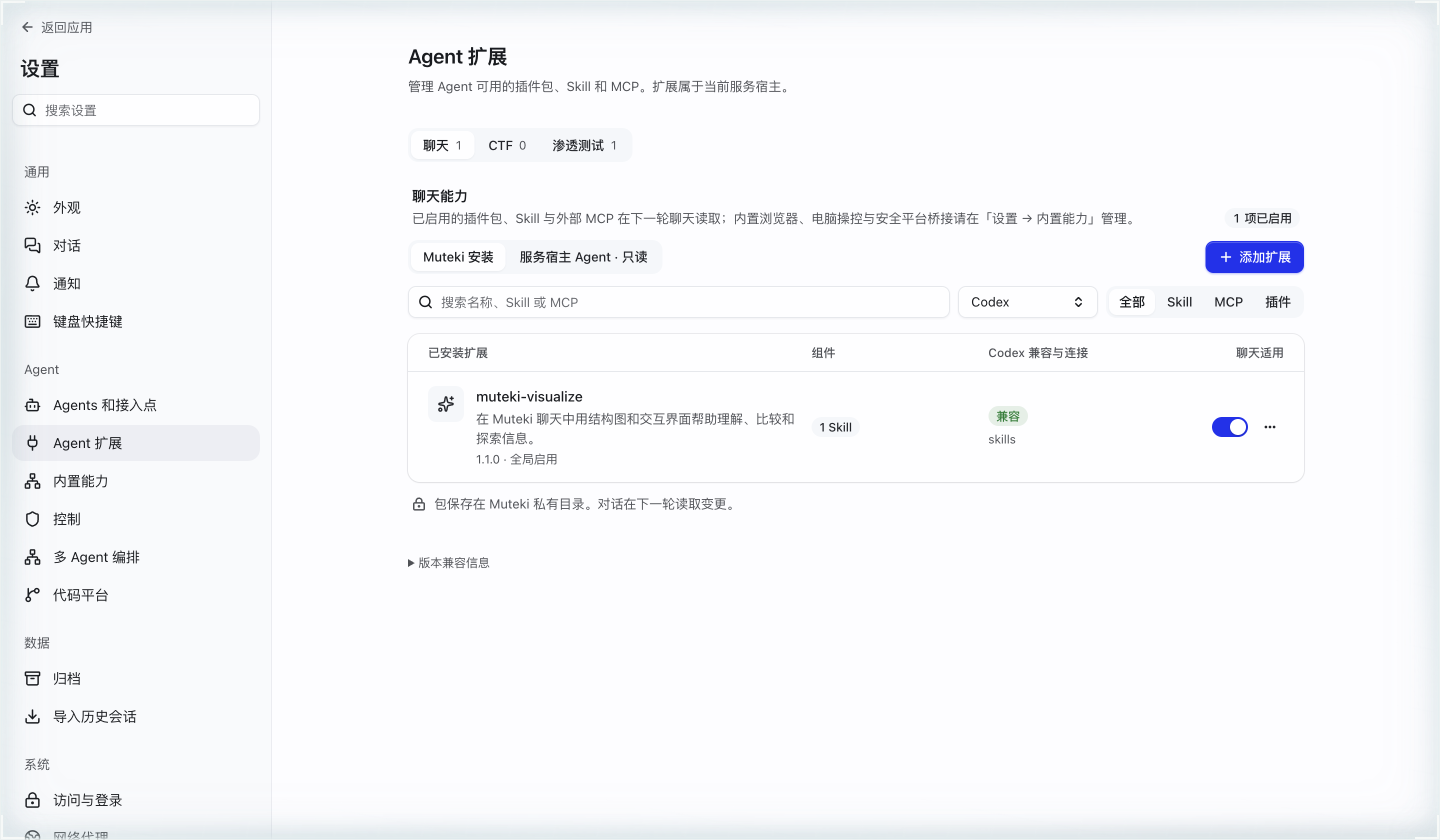
- Scenario tabs & per-run MCP inspection: Toggle packages per scenario (Chat / CTF / Pentest) and inspect live Run-scoped MCP connection status on active/past CTF and Pentest runs.
- Engine compatibility matrix: Pick any of the 11 engines to verify which components (
skills,MCP, or native plugins) are delivered cleanly. - Install sources: Import packages from a host directory, archive, or pinned Git ref (tag/commit), or add HTTP / stdio MCP servers isolated per Run. In Chat mode, one click installs the bundled
muteki-visualizeskill. Switch to the Host Agent · Read-only tab to inspect native host Skills/MCP without auto-mounting private directories into containers.
Built-in capabilities (/settings/capabilities)#
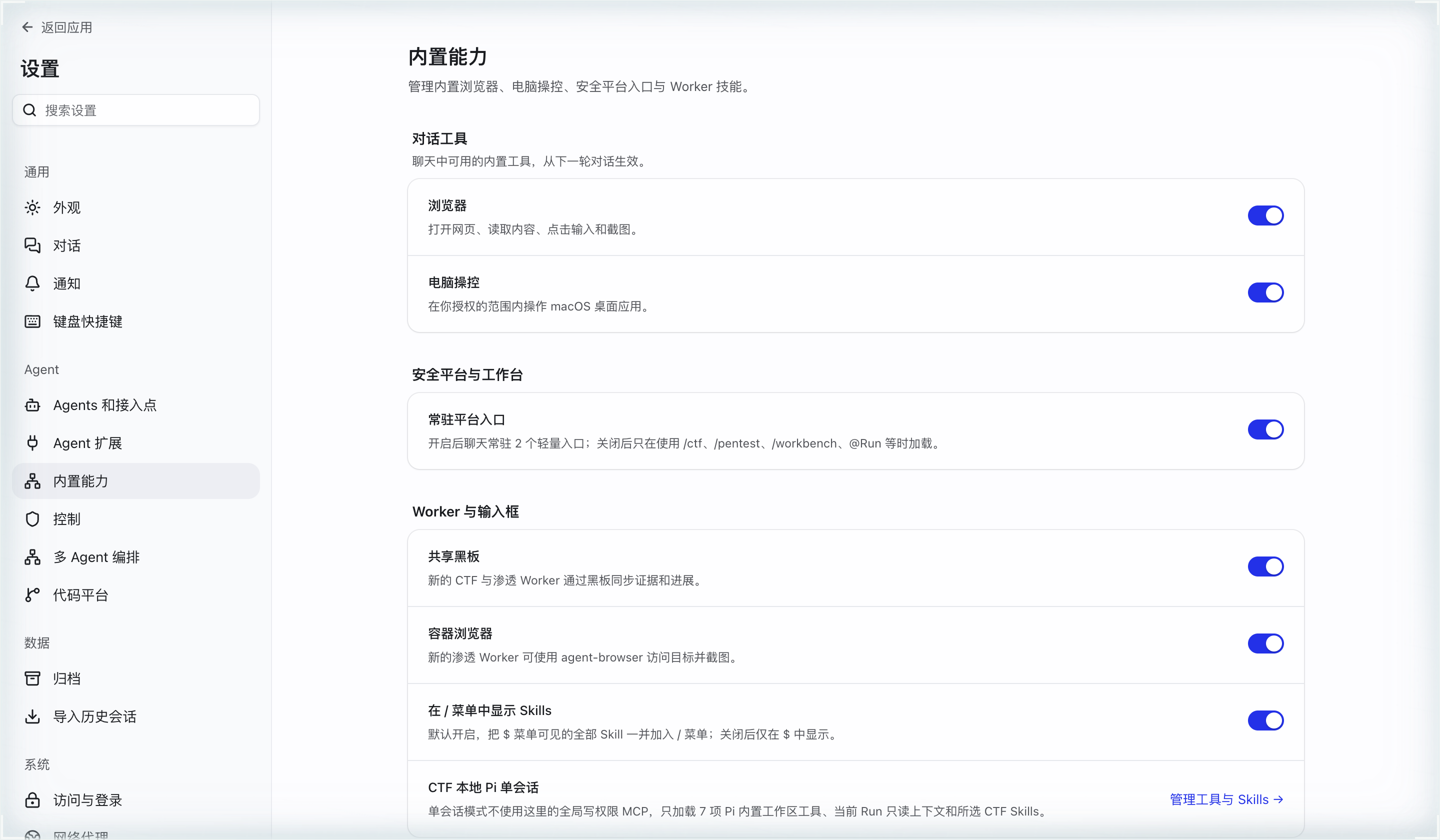
- Toggle chat
muteki-browserand desktopmuteki-computer, keepmuteki-platformalways-on progressive disclosure enabled, and manage Worker built-inmuteki-blackboard, containeragent-browser, and showing$ Skillsin the/slash menu.
Platform extensions (/settings/extensions)#
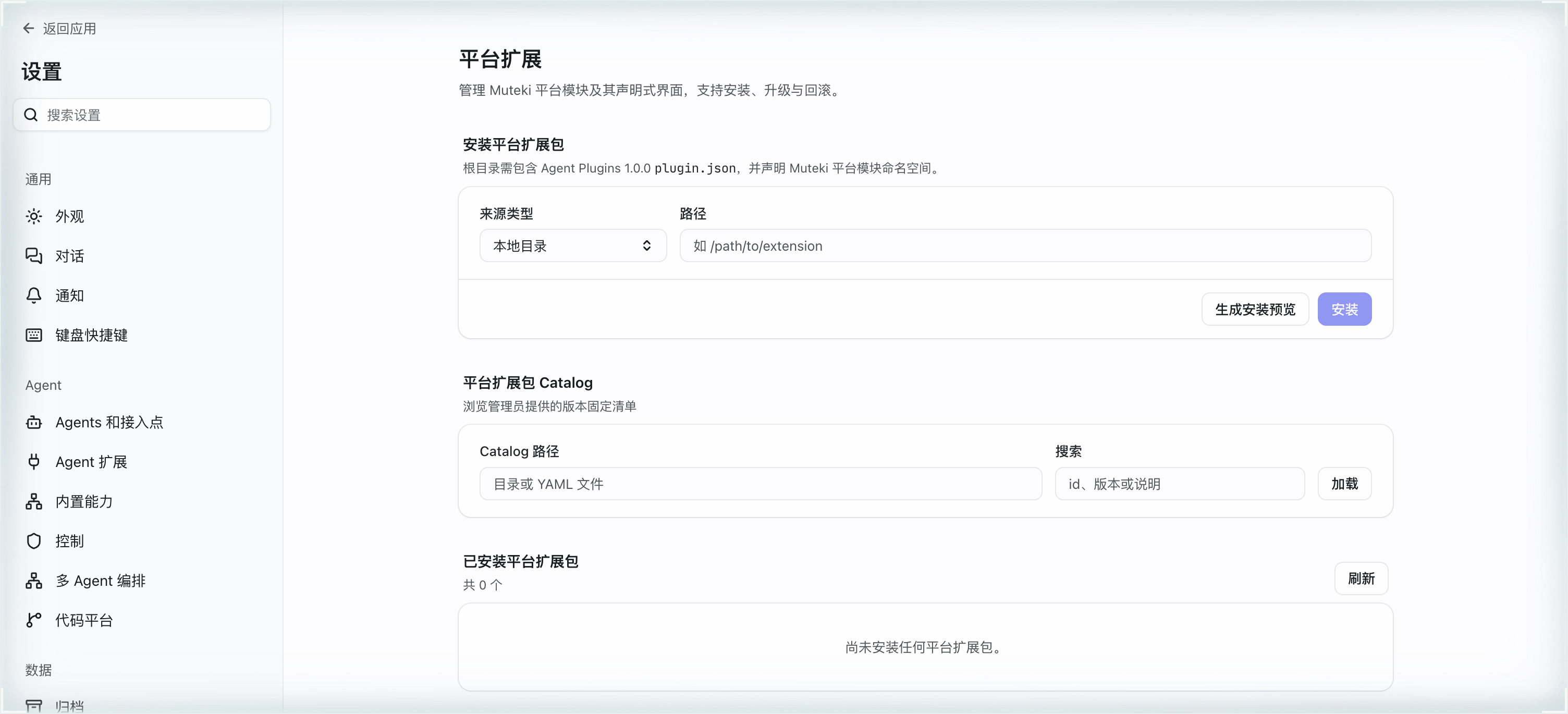
Install and manage Agent Plugins 1.0.0 platform modules (with plugin.json at root) from local paths, archives, Git, HTTP URLs, or curated Catalogs, inspecting source digests and declared permissions in the Install preview before committing, with upgrade and rollback support.