
Call in your agents. Let's get to work.
Give Muteki a task and let Claude, Codex, Cursor, and others take on different parts in one conversation. Watch each thread as it works and approve actions that need your go-ahead.
Workbench replay
Example data · Chinese UI
Codex adds validation, Cursor wires up the form, and Kimi writes end-to-end tests.
Talk to any coding agent, and see and steer everything it does
Work with connected coding agents across many turns in one control plane. What it is thinking, which tools it called, and what code it changed are all in front of you.
Reasoning and tool timeline
Reasoning summaries and every tool call unfold in order. Open any step for the details.
Approval cards
Actions that need your confirmation stop and wait for you to approve or decline.
Interactive terminal
Use the workspace terminal next to the conversation, without switching windows.
Code diff review
Review this turn's changes file by file before you decide to keep them.
Built-in page preview
A native browser panel on Desktop, an isolated iframe preview on Web.
- Message queue
- Branch and rollback
- Live steering
- Scheduled tasks
- Shareable snapshots
- Artifact export
- Context and usage stats
Let the lead agent hand each job to the right model
Pin a provider, credential, model, and reasoning level to each sub-agent role. The lead agent delegates sub-tasks to managed sub-threads through a collaboration contract; they run in parallel and report back.
Lead agent
Splits the task, delegates, and collects reportsbackendPinned
- Provider
- Credential
- Model
- Reasoning
frontendPinned
- Provider
- Credential
- Model
- Reasoning
qaPinned
- Provider
- Credential
- Model
- Reasoning
Example roles
Role binding
Set each role's provider, credential, model, and reasoning level once. Every later delegation follows it.
Managed sub-threads and the collaboration panel
Sub-tasks run in managed sub-threads, and the collaboration panel collects each thread's real status and report.
Permissions and approval policy
Control the access and approval mode of new sub-agents in one place. Full access by default; tighten it so the lead agent or you approve.
Nine CLI Worker engines, one swarm
Muteki is compatible with most mainstream agent engines. The Planner splits tasks and makes scheduling decisions; Workers on different engines take different roles and move toward one goal through shared evidence.
A listed or installed CLI still needs valid credentials, a working model, and a matching runtime before it passes its self-check. More engines will be added over time.
Engines, runtime, and remote Runner configuration- Claude
- Codex
- Cursor
- Pi
- OMP
- Kimi
- Grok
- OpenCode
- Droid
- PlannerTask splitting, scheduling decisions, and coordination
- Worker swarmMany engines and models running in parallel
- Shared evidenceVerified facts, raw artifacts, and candidate results
Swarm scheduling
Automatic or fixed dispatch, bounded by concurrency, total time, Worker count, and a cost cap for each run.
Context and shared evidence
Context is managed automatically and evidence accumulates in one place, so every Worker builds on the same facts.
Runtime and credentials
Host CLIs, Docker containers, and remote Runner nodes are managed in one place. Local runs reuse host CLI logins; container runs bind injectable credentials.
Live operator intervention
Hint, dispatch, pause, freeze, and stop. Step into a running swarm at any time.
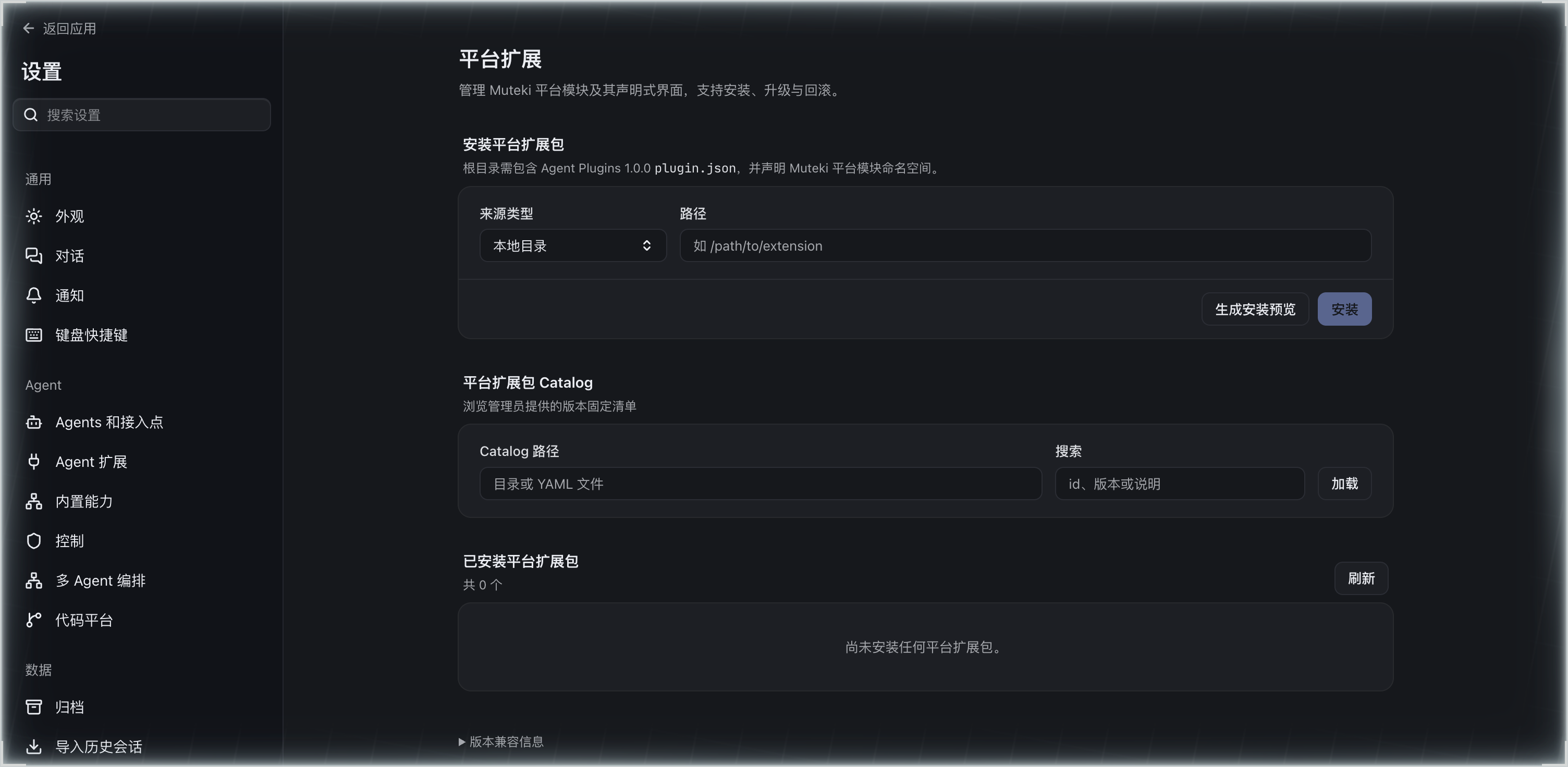
Install extensions that follow Agent Plugins 1.0.0
Install and manage extensions in settings, and see what permissions one asks for before it is installed.
- 1
Pick a source
A local directory, archive, Git repository, HTTP address, or a catalog.
- 2
Preview the install
Check the source, digest, and declared permissions first.
- 3
Manage the lifecycle
Enable, disable, configure, upgrade, roll back, and uninstall.
Only install extensions you trust.
Extensions guide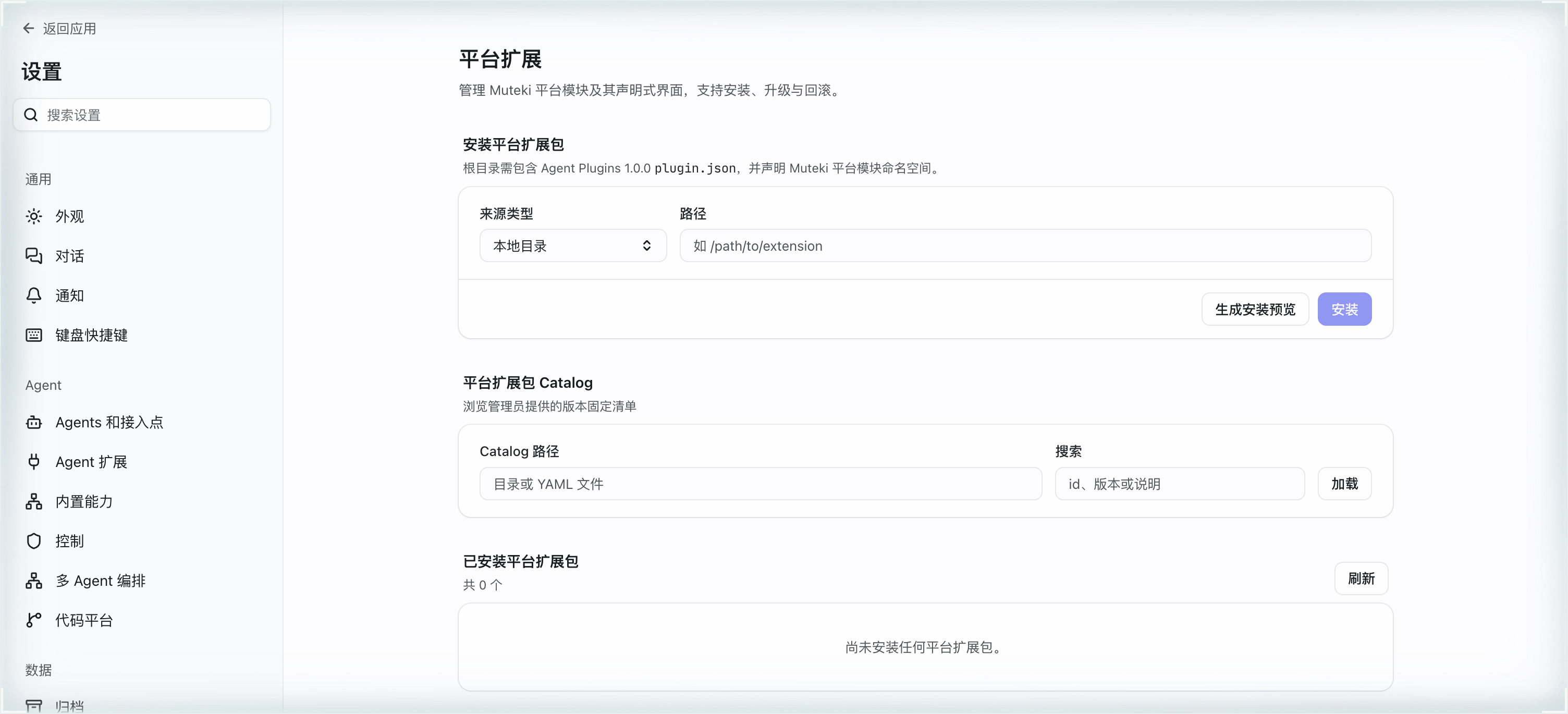
Three security workbenches on one scheduling core
Offensive security is the first scenario in which Muteki has been tested hard in the field. CTF, pentest, and SRC each have a dedicated workbench.
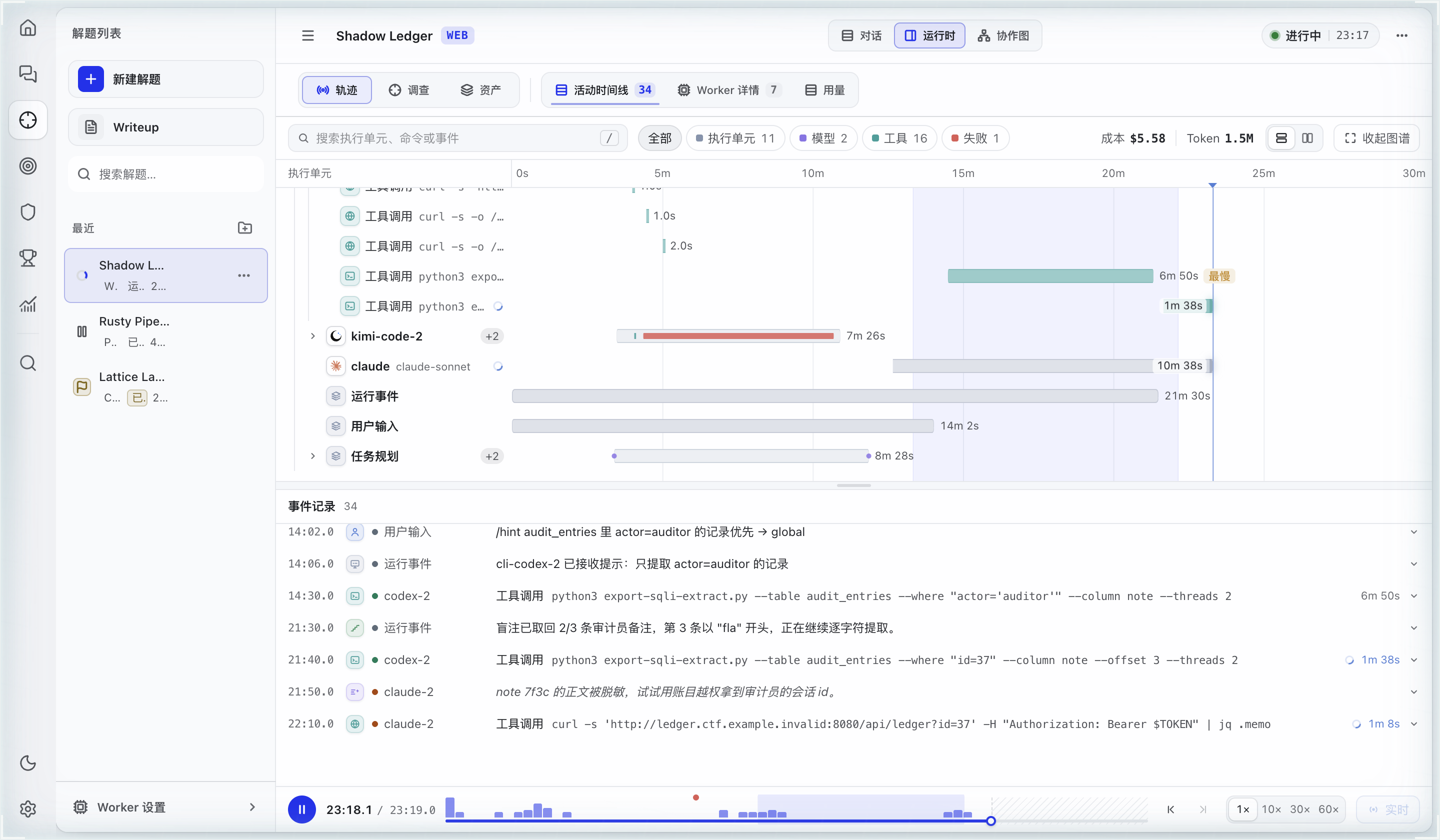
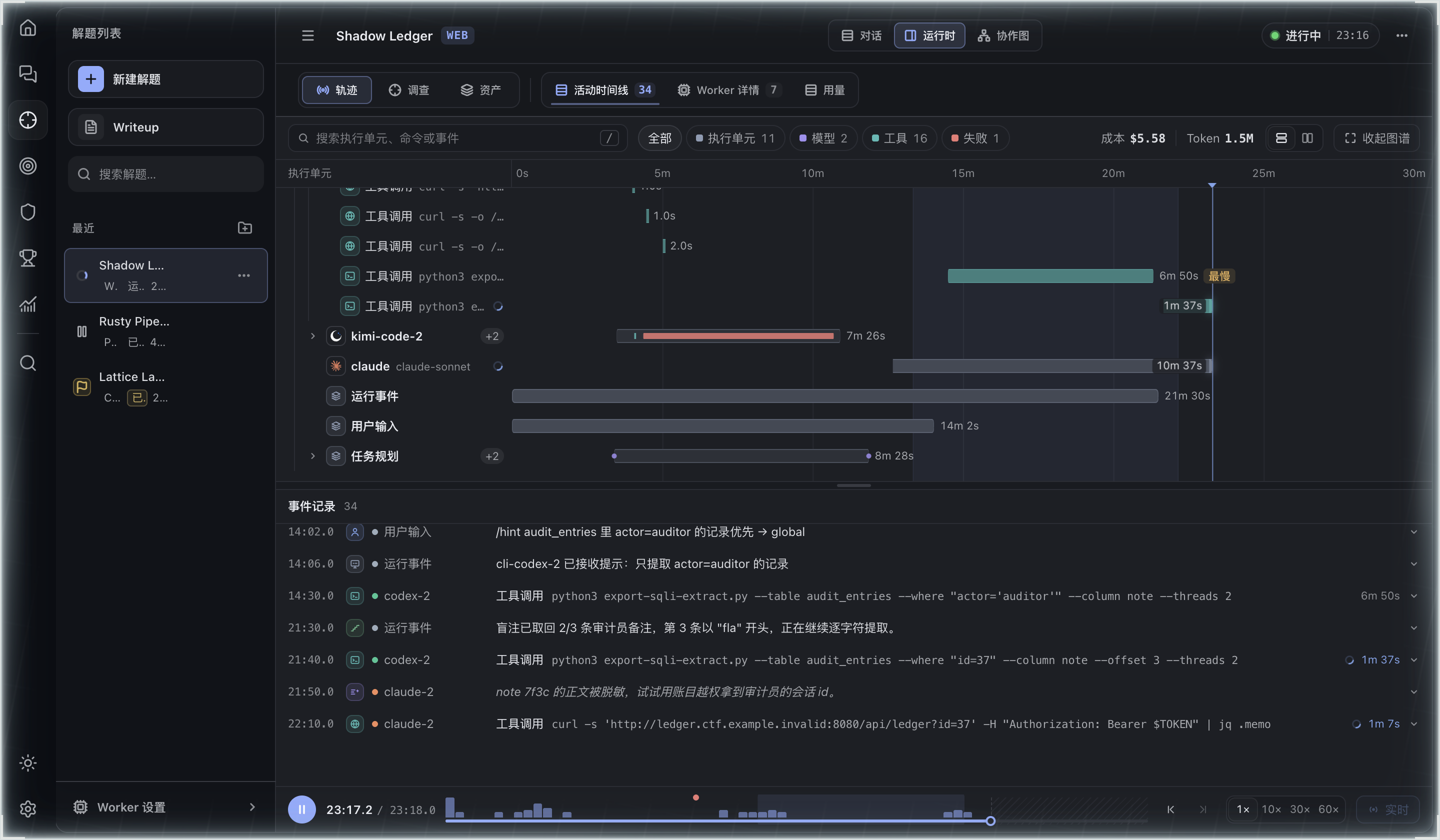
CTF and competition workbench
Submit a challenge with its attachments, dispatch the swarm, and watch Coordinator messages, Worker state, the tool-call timeline, and candidate Flags live.
- Single or multiple Flags, Flag format, and per-run time, Worker count, and cost budget
- Intervene during a run: hint, dispatch, ask progress, pause / resume, freeze / unfreeze, stop
- Verify candidate Flags, mark false positives to keep solving, and generate a writeup afterwards
- The competition workspace connects to CTFd, rCTF, and GZCTF and syncs challenges
Pentest workbench
Built for real, authorized testing: an explicit authorization boundary, execution guardrails with human approval, and every key finding anchored to raw execution artifacts.
- Declare authorized targets and constraints when creating a task; the run page and reports keep tracking them
- Production Guard: high-risk actions pass an evaluation gate that fails closed when evaluation is unavailable
- A live approval queue and Emergency Stop
- A raw evidence chain, structured pentest reports, and a report center
- Action evaluation
High-risk external actions pass an evaluation gate; the Cronus risk model can be connected
Fail-Closed - Approval queue
Actions that need human confirmation are held for an operator to approve or reject
openheldrevoked - Real receipts
Interrupted or unconfirmed external actions are never reported as failed or succeeded
not_sentsentcompletedoutcome_unknown - Report status
How each report version lines up with the current fact graph
draftpendinggeneratedstale
SRC bounty workbench
For longer, messier vulnerability research: the main conversation and structured research data live in one workbench.
- Drive research from a main conversation and keep analyzing, retesting, and writing reports on the same project
- Versioned authorization scope and excluded assets, checked on execution and retest
- Asset and source management, HTTP traffic analysis and comparison
- Findings bound to raw evidence, with report drafts, platform feedback, and a bounty ledger
- Scope and policy versions
Target assets, excluded assets, and versioned authorization snapshots
- Assets and sources
Import asset lists or connect external sources, and track entity ownership
- Traffic analysis
Search captured HTTP exchanges, compare them, and draft request signing
- Tasks and to-dos
Research plan versions, to-dos, linked Runs, and monitoring tasks
- Findings and evidence
Findings bound directly to raw traffic and execution evidence
- Reports and bounty ledger
Report drafts, final reports, platform feedback, retest status, and bounties
Tested in real competitions, ranges, and public benchmarks
These records come from real competitions, ranges, and public benchmarks.
RIFFHACK 2026
Ran for three hours with no human takeover and solved every challenge.
Yunjing · blackmaze
A pentest range with no solves for three months, taken in about two hours of actual solving.
NYU CTF Bench (Python)
All 200 challenges solved.
TSecBench
Ranking in hosted mode with deepseek-flash.
- Yunjing: every badge scenario cleared
- Hack The Box: Insane and Hard challenges cleared across all categories
Results reflect the tested environment and model versions at the time. They are not a guarantee for untested challenges or environments.
Pick an option and be running in minutes
The current public release is v0.5.2. Desktop mode is a native macOS app. Web mode starts from the standalone package, Docker Compose, or source, and runs in your browser.
A native desktop app that works out of the box, with the frontend, Rust service, and a local Runner built in. The first choice for a personal Apple Silicon Mac.
Download
Muteki-0.5.2-arm64.zipfrom the v0.5.2 release.Unpack it, drag
Muteki.appinto/Applications, and double-click to open it.The release is Developer ID signed but not notarized yet. If macOS blocks the first launch, go to System Settings → Privacy & Security and click Open Anyway.
Muteki-0.5.2-arm64.zip
shasum -a 256 -c Muteki-0.5.2-arm64.zip.sha256Ships its own Node and Rust service. Unpack and run, with no local Node or Rust install.
Open
http://127.0.0.1:3101in your browser once it is running.Listening on a non-loopback address such as
0.0.0.0requires the access passwordMUTEKI_WEB_PASSWORD.The native Linux package needs a compatible glibc and the C++ runtime.
Muteki-Web-0.5.2-linux-amd64.tar.gz
tar -xzf Muteki-Web-0.5.2-linux-amd64.tar.gz
cd muteki-web-0.5.2
MUTEKI_STATE_DIR="$HOME/.muteki-state" ./bin/node ./launcher.mjs web
Muteki-Web-0.5.2-linux-arm64.tar.gz
tar -xzf Muteki-Web-0.5.2-linux-arm64.tar.gz
cd muteki-web-0.5.2
MUTEKI_STATE_DIR="$HOME/.muteki-state" ./bin/node ./launcher.mjs web
Muteki-Web-0.5.2-darwin-arm64.tar.gz
tar -xzf Muteki-Web-0.5.2-darwin-arm64.tar.gz
cd muteki-web-0.5.2
MUTEKI_STATE_DIR="$HOME/.muteki-state" ./bin/node ./launcher.mjs web
Web and Runner run in separate containers (only the Runner mounts the Docker socket), using the official amd64 / arm64 multi-arch images.
Use the
docker-compose.release.ymlfrom the repository root or the Web package.It binds only to the host's
127.0.0.1by default. AddMUTEKI_WEB_BIND=0.0.0.0to listen externally.Drain active Workers before upgrading or rolling back, and keep the data directory and previous image digests.
ghcr.io/fishcodetech/muteki-web:v0.5.2 · ghcr.io/fishcodetech/muteki-worker:v0.5.2
MUTEKI_HOST_DATA_ROOT=/opt/muteki/data \
MUTEKI_WEB_IMAGE=ghcr.io/fishcodetech/muteki-web:v0.5.2 \
MUTEKI_WORKER_IMAGE=ghcr.io/fishcodetech/muteki-worker:v0.5.2 \
MUTEKI_WEB_PASSWORD='replace-with-a-strong-password' \
  docker compose -f docker-compose.release.yml up -d --wait
Needs Node.js 22 / npm, a stable Rust toolchain with edition 2024 support, sccache, a C/C++ toolchain, CMake, and pkg-config.
Linux also needs the OpenSSL development headers.
macOS desktop development from source uses
node scripts/dev.mjs.Local packaging and the full development rules are in the development docs.
github.com/FishCodeTech/muteki
git clone https://github.com/FishCodeTech/muteki.git
cd muteki
npm --prefix apps/frontend ci

# Build and start Web (http://127.0.0.1:3101)
node scripts/dev.mjs --web

# Or start the frontend hot preview (http://127.0.0.1:3103)
node scripts/dev.mjs --hot --web
Authorized use only
Unauthorized attacks against other projects, systems, or networks carried out by third parties using this project are their own actions. Those carrying them out bear responsibility for their actions and the consequences. The author and this project accept no responsibility for those third-party actions or their consequences, and do not authorize or endorse them.
Muteki drives CLI agents that run real commands, invoke tools, and access target services. It does not promise to isolate malicious challenges or untrusted targets. For offensive or security tasks, run it on a dedicated, disposable VPS, VM, or a separate environment without sensitive data.